
What a Sales Tax Receipt Actually Shows
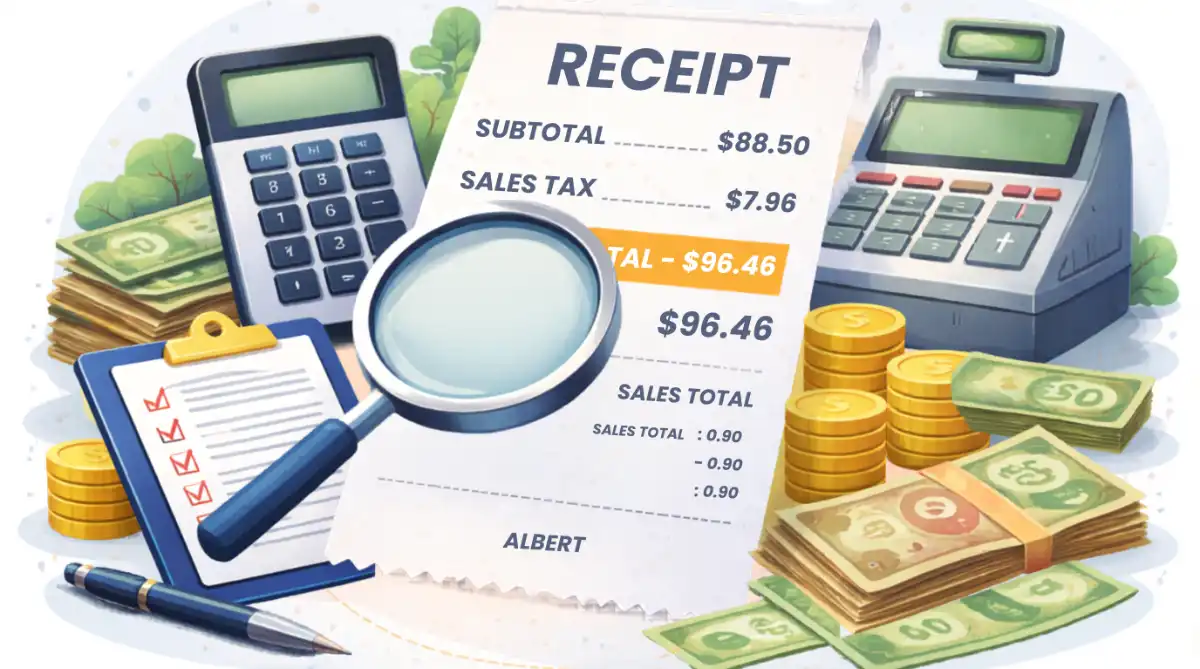
A retail receipt in the United States is a legal document that records a transaction between a seller and a buyer. Every line on the receipt has a specific meaning, and together they form a complete picture of what you bought, how much each item cost, how much tax was applied, and what the final amount charged was.
In 2026, most US receipts are generated by electronic point-of-sale (POS) systems that automatically calculate tax based on item category and the store's configured tax rate. These systems are generally accurate — but they rely on correct setup. A store that has configured the wrong tax rate, miscategorized an item, or failed to update its system after a rate change will produce receipts with incorrect tax calculations that most customers never notice.
Understanding how to read your receipt is not just about curiosity — it is a practical financial skill. For consumers, it catches overcharges. For business owners and freelancers, it is essential for accurate expense reporting and separating tax from actual costs. For accountants, it is the foundation of every reconciliation.
Key Highlights
- Every US retail receipt has at least four key sections: item list, subtotal, tax, and total.
- The subtotal is the pre-tax price — the amount before any sales tax is added.
- The tax line shows the dollar amount of sales tax charged and usually the rate applied.
- The total is the final amount you paid — subtotal plus tax.
- Some receipts separate taxable and non-taxable items into different subtotals.
- You can verify the tax calculation using the reverse formula: Subtotal × Tax Rate = Tax Amount.
- If the tax on your receipt seems wrong, use reverse calculation to check: Total ÷ (1 + Tax Rate) = Subtotal.
- Exempt items — groceries, prescription drugsSales Tax on Prescription Drugs & OTC Medications by State (2026), and clothing in some states — should show zero tax.
- Some receipts show multiple tax rates when different items are taxed at different rates.
- Saving and reviewing receipts is the foundation of accurate expense tracking for business and tax purposes.
Anatomy of a US Sales Tax Receipt
While receipt formats vary by retailer, POS system, and state, every US sales tax receipt contains the same core sections. Here is what each section means and what to look for.
| Receipt Section | What It Shows | What to Check |
|---|---|---|
| Store Header | Store name, address, phone number, tax ID number | Confirm the store address matches the state whose tax rate you expect |
| Date and Time | Transaction date and time | Confirm the date is correct — tax rates change and the date determines which rate applies |
| Item List | Each item purchased, its price, and sometimes a tax code indicator | Check for T (taxable) or N/E (non-taxable/exempt) indicators next to each item |
| Subtotal | The sum of all item prices before tax — your pre-tax cost | Add up the item prices yourself to verify the subtotal is correct |
| Taxable Subtotal | The portion of the subtotal that is subject to sales tax (shown on some receipts) | If present, verify it excludes exempt items like groceries or prescription drugs |
| Tax Rate | The percentage applied to calculate the tax — sometimes shown, sometimes not | Compare to the known combined rate for that store's ZIP code |
| Tax Amount | The dollar amount of sales tax charged | Verify: Taxable Subtotal × Tax Rate = Tax Amount |
| Total | The final amount charged — subtotal plus all taxes | Verify: Subtotal + Tax Amount = Total |
| Payment Method | How you paid — cash, card, split tender | Confirm change given (cash) or last 4 digits (card) match your records |
| Return Policy | The store's policy for returns and exchanges | Note the deadline and whether tax is refunded on returned items |
The Reverse Sales Tax Formula — Verify Any Receipt in Seconds
The fastest way to verify a receipt is to use the reverse sales tax formula. If you know the total you paid and the tax rate that was supposed to apply, you can calculate what the subtotal should have been — and compare it to what the receipt shows.
If the result of this calculation matches the subtotal on your receipt, the tax was calculated correctly. If it does not match — even by a few cents — there may be an error in the rate applied, an item incorrectly categorized as taxable, or a rounding issue worth investigating.
Step-by-Step: How to Verify Your Receipt
Follow these six steps to verify that every number on your receipt is correct.
Reverse Sales Tax Calculator
Global Reverse Tax Tool (VAT & GST) 2026 — Remove tax from any total and calculate the original price in seconds.
Real-World Receipt Verification Scenarios
Here are four practical examples showing how to read and verify different types of receipts — including mixed receipts with taxable and exempt items, restaurant bills, and online order confirmations.
Example 1: Grocery Store Receipt With Mixed Items in California
Scenario
A California shopper's receipt shows: Bread $3.49 (N), Milk $4.29 (N), Chips $2.99 (T), Hot deli sandwich $6.49 (T). Subtotal: $17.26. Tax (9.50%): $1.90. Total: $19.16.
Step 1 — Verify item prices: $3.49 + $4.29 + $2.99 + $6.49 = $17.26 ✓
Step 2 — Identify taxable items: Chips ($2.99) + Hot deli sandwich ($6.49) = $9.48 taxable subtotal. Bread and milk are exempt unprepared groceries in California.
Step 3 — Verify tax amount: $9.48 × 9.50% = $0.9006 → rounded to $0.90
Receipt shows $1.90 tax — ERROR. The receipt applied tax to the full $17.26 subtotal instead of only the $9.48 taxable subtotal. The overcharged tax is $1.90 − $0.90 = $1.00.
Action: Return to the cashier with the receipt and point out that the exempt grocery items (bread and milk) were incorrectly taxed.
Example 2: Restaurant Bill in Texas
Scenario
A restaurant bill in Dallas, Texas shows: Food items $48.00. Tax (8.25%): $3.96. Total: $51.96. You want to verify the tax is correct.
Forward check: $48.00 × 8.25% = $3.96 ✓
Reverse check: $51.96 ÷ 1.0825 = $48.00 ✓
Tax is correct. Dallas's combined rate is 8.25% (6.25% state + 2% city). Both the forward and reverse calculations confirm the receipt is accurate.
Tip note: Tips are typically not included in the taxable amount — tips added after the bill is presented are not subject to sales tax. If your bill shows tax calculated on a tip-inclusive amount, that is an error.
Example 3: Retail Receipt With Multiple Tax Rates in Illinois
Scenario
An Illinois receipt shows: Clothing $45.00 (Tax 10.25%), Canned soup $3.49 (Tax 1%), Prescription $0.00 (Tax-Exempt). Total tax: $4.65. Total: $52.14.
Clothing tax: $45.00 × 10.25% = $4.61
Soup tax (reduced grocery rate): $3.49 × 1% = $0.03 (rounded)
Prescription tax: $0.00 (exempt in Illinois)
Expected total tax: $4.61 + $0.03 = $4.64
Receipt shows $4.65 — minor rounding difference of $0.01. This is within normal rounding tolerance and is not an error requiring correction. Illinois uses transaction-level rounding which can produce 1–2 cent differences on multi-rate receipts.
Example 4: Online Order Confirmation With Tax
Scenario
An online order confirmation shows: Item subtotal $89.99. Shipping $5.99. Sales tax $7.68. Order total $103.66. The buyer is in Seattle, Washington (10.25% combined rate).
Step 1 — Is shipping taxableIs Shipping Taxable? Sales Tax on Shipping by State (2026) in Washington? Yes — Washington taxes shipping charges when the item itself is taxable.
Step 2 — Calculate expected tax: ($89.99 + $5.99) × 10.25% = $95.98 × 0.1025 = $9.84
Receipt shows $7.68 — ERROR. The seller applied tax only to the item subtotal ($89.99 × 8.55% = $7.69 — likely using the wrong rate and excluding shipping).
Reverse check on total: $103.66 ÷ 1.1025 = $94.02 — this does not equal $95.98, confirming a discrepancy.
Action: Contact the seller to report that shipping was not included in the taxable amount for Washington and the wrong rate appears to have been applied.
Tax Indicators on Receipts — What the Codes Mean
Most POS-generated receipts use short codes next to each item to indicate its tax status. These codes vary by retailer and POS system, but the most common ones follow a consistent pattern.
| Code | Meaning | Example Items |
|---|---|---|
| T | Taxable — sales tax was applied to this item | Electronics, clothing (in most states), prepared food, household goods |
| N or E | Non-taxable or Exempt — no sales tax applied | Unprepared groceries, prescription drugs, medical devices |
| F | Food — often used for grocery items that are exempt or reduced-rate | Fresh produce, meat, bread, canned goods |
| R | Reduced rate — a lower tax rate applies (common for food in some states) | Groceries in Tennessee (4%), Alabama (3%), reduced-rate food items |
| TX or * | Taxable item — alternative notation used by some POS systems | Any taxable item depending on the system |
| A, B, C | Tax category codes — each letter corresponds to a specific tax rate on that receipt | Shown in the tax summary at the bottom: A = 8.25%, B = 1%, C = 0% |
Many large retailers — especially grocery stores and big-box stores — use letter-based tax codes (A, B, C) next to each item. At the bottom of the receipt, a tax summary table shows what each letter means: for example, A = Taxable at 8.25%, B = Food at 1%, C = Exempt. Each item's letter tells you which rate was applied to it. To verify: add up all items marked A, multiply by 8.25%; add all items marked B, multiply by 1%; exempt items (C) should contribute zero tax. The sum of these calculations should match the total tax shown on the receipt.
Receipt Types — Key Differences to Know
| Receipt Type | Typical Format | Common Tax Issues | Verification Method |
|---|---|---|---|
| Grocery Store | Long itemized list with T/N/F codes, multiple tax rates | Exempt items taxed, wrong food rate applied | Separate taxable from exempt, verify each rate section |
| Restaurant | Food subtotal, tax line, total — sometimes separate alcohol tax | Tax applied to tip, wrong rate for city vs. state | Confirm tax rate matches combined rate for restaurant's ZIP code |
| Retail / Clothing | Item list, single subtotal, single tax line | Wrong rate, clothing exempt states still charging tax | Reverse calculate: Total ÷ (1 + Rate) = Expected Subtotal |
| Online Order | Item subtotal, shipping, tax, order total — email or PDF | Wrong state rate, shipping excluded when taxable, wrong ZIP code used | Verify rate matches your delivery ZIP code combined rate |
| Digital Subscription | Plan price, tax amount or tax-inclusive total | Tax charged in exempt states, wrong rate, SaaS vs download misclassification | Check if your state taxes that product type; verify rate applied |
| Business / B2B Invoice | Line items, subtotal, tax, total — formal invoice format | Tax charged on exempt resale purchases, missing exemption certificate | Confirm exemption certificates are on file; verify taxable vs exempt items |
Pros and Cons of Verifying Your Receipts
Why Receipt Verification Is Worth the Time
- Catches overcharges — tax errors happen more often than most people realize
- Essential for accurate business expense reporting and deductions
- Identifies POS system misconfigurations that affect every customer
- Confirms exempt items are not being taxed incorrectly
- Builds financial literacy and tax awareness over time
- Provides documentation for returns, refunds, and warranty claims
Practical Limitations to Keep in Mind
- Minor rounding differences (1–2 cents) are normal and not errors
- Some receipts do not show the tax rate — rate lookup is required to verify
- Multi-rate receipts with A/B/C codes require more careful line-by-line analysis
- Small errors may not be worth the time to dispute for personal purchases
- Online order tax verification requires knowing the correct rate for your delivery ZIP code
- Some POS systems use bracket-based rounding that produces different amounts than direct percentage calculation
Expert Tip — Ritu Sharma
"The receipt verification habit that pays off most for business owners is not checking individual consumer purchases — it is auditing digital subscription and SaaS invoices. Most businesses receive dozens of software invoices per month from vendors who are applying tax based on state rates alone, ignoring local additions, or charging tax in states where their product is exempt. I worked with a company that was paying $340 per month in sales tax on a Salesforce subscription billed to a California address — California does not currently tax SaaS. That was $4,080 per year in incorrectly collected tax. The fix was a single email to the vendor with a copy of the California SaaS exemption guidance. The reverse calculation that revealed the error took 30 seconds. For any business spending more than $2,000 per month on SaaS tools, a quarterly receipt audit using the reverse formula against your state's current digital product taxability rules will almost always find at least one vendor charging tax incorrectly."
Who Should Verify Their Receipts?
- Business owners and self-employed workers who deduct business expenses — every receipt must correctly separate the pre-tax cost from the tax paid, since only the pre-tax amount is the deductible business expense, not the tax portion
- Freelancers tracking expenses on Schedule C — software subscriptions, office supplies, and professional services purchased for business use must be recorded at their pre-tax cost for accurate deduction calculations
- Consumers in states with broad food exemptions — CaliforniaCalifornia Sales Tax: 7.25%, Texas, New York, and most other states exempt unprepared groceries, and incorrect taxation of exempt items is one of the most common POS errors at grocery and big-box stores
- Shoppers making large purchases — electronics, appliances, furniture, and jewelry involve significant dollar amounts where even a small rate error creates a meaningful overcharge that is worth correcting
- Accountants and bookkeepers processing client receipts — systematically verifying tax calculations across large volumes of receipts is a core component of accurate financial record-keeping
- Anyone filing for a SALT federal tax deduction — taxpayers who itemize federal deductions using actual sales taxes paid need accurate receipt records to substantiate the deduction amount
Many receipts show only the dollar amount of tax charged — not the rate. To verify whether the correct rate was applied, first look up the combined state and local sales tax rate for the store's specific ZIP code using your state's Department of Revenue rate lookup tool. Then divide the tax amount shown on the receipt by the subtotal: Tax Amount ÷ Taxable Subtotal = Effective Rate Applied. Compare this to the correct combined rate for that ZIP code. If the effective rate on the receipt is lower or higher than the correct rate, the wrong rate was used — either a system configuration error or the store is using the state rate without the local additions.
Risks and Limitations
Bracket-based tax rounding: Some states — including Florida and IllinoisIllinois Sales Tax: 6.25% — require retailers to use a tax bracket system rather than calculating tax as a straight percentage of the subtotal. Under a bracket system, the tax on each item is looked up in a table based on the item's price, not calculated by multiplying by the rate. This can produce totals that differ by a few cents from what a direct percentage calculation would give. These differences are not errors — they are the legally required calculation method in those states.
Transaction-level vs item-level tax calculation: Some POS systems calculate tax on the total transaction subtotal (one calculation for the whole receipt), while others calculate tax on each item individually and then sum the results. Both methods are legal, but they can produce slightly different final tax amounts due to rounding at each step. This explains why a receipt may show $4.65 in tax when your own calculation produces $4.64.
Rate changes effective mid-visit: Occasionally a tax rate changes on a specific date — for example, a city tax increase effective the first of the month — and a store's POS system is not updated in time. Customers who shop on the effective date or shortly after may have an old rate applied to their transactions. This is an error that the store is responsible for correcting through their own filing, even if individual customers do not notice it.
Online orders and destination-based rates: For online purchases, the tax rate should be based on your delivery address ZIP code — not the seller's ZIP code and not the state average rate. Many online sellers configure their systems using the state rate only, which undercharges customers in high-local-rate cities. While this undercharge technically benefits the consumer, it creates a compliance problem for the seller.
Expert Insight and Market Impact
Receipt verification has become significantly more practical in 2026 than it was a decade ago. State tax authority websites now universally offer free ZIP-code-level rate lookup tools, making it possible to find the exact correct combined rate for any US address in under a minute. The widespread use of e-receipts — digital receipts delivered by email or app — has also made receipt storage and retrieval easier for consumers and businesses alike.
Point-of-sale system errors in tax calculation affect more transactions than most people realize. Industry estimates suggest that between 2% and 5% of retail transactions contain some form of tax calculation discrepancy — most too small to notice individually, but significant in aggregate. For a store processing 500 transactions per day, even a systematic 10-cent overcharge adds up to $50 per day, $350 per week, and $18,250 per year in overcollected tax that customers paid without knowing it.
For business expense tracking, the practical importance of reading receipts correctly is straightforward: the tax portion of any business purchase is not the deductible expense — the pre-tax cost is. A freelancer who records a $108 software invoice as a $108 deduction when the actual pre-tax cost was $100 and $8 was sales tax is overstating their deduction — an error that, multiplied across dozens of receipts, can create a meaningful inaccuracy in their Schedule C filing.
Final Verdict
Reading a receipt correctly takes less than two minutes once you know what to look for. The subtotal is your pre-tax cost. The tax line is what the government collects. The total is what you actually paid. Verify that taxable items are taxed and exempt items are not. Check that the rate applied matches the known combined rate for that store's location. And when the numbers do not add up, use the reverse formula — Total ÷ (1 + Tax Rate) = Pre-Tax Subtotal — to find the discrepancy in seconds.
For personal purchases, this skill catches overcharges. For business purchases, it separates your actual cost from the tax paid — which matters for expense reporting, deductionsTax terms related to Deductions, and accurate financial records. A receipt is not just proof of payment. It is a document you can — and should — verify.